Woodturning
VOODOOSimulation
3.818.79K Reviews
- Version
- 3.12.40
- Installs
- 100.00M
- Age Rating
- Everyone
Screenshots

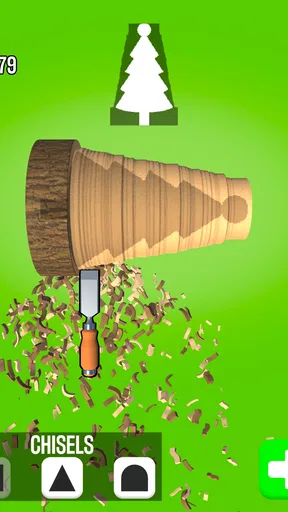
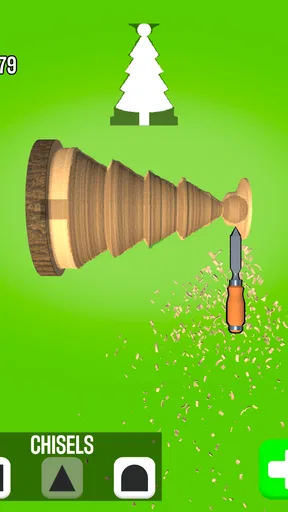
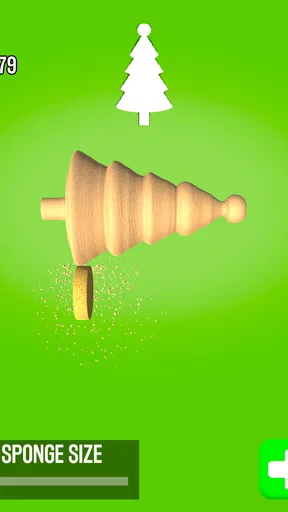
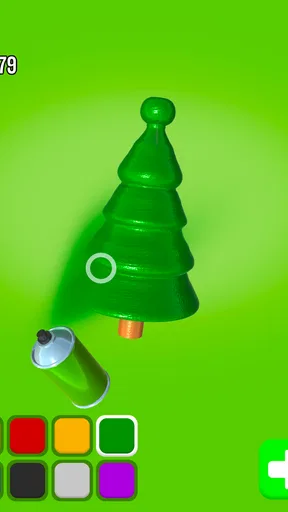
Our Review of Woodturning
 Analysis by Appyee
I like the idea behind Woodturning because it turns a familiar craft into a small, low-pressure activity I can pick up whenever I have a spare moment. The question is whether you want a relaxing hands-on-style game, or a deeper building and design simulator. In my experience, it is much closer to a soothing creative diversion than a serious workshop tool, and that distinction is the key to deciding if it belongs on your phone.
What to consider before you start
This is a free simulation game from VOODOO, rated for Everyone, and it has reached over 100 million installs. Its average rating is 3.8 from around 575,000 ratings, which suggests broad appeal but not universal enthusiasm. I would read that as a useful signal: the basic loop is easy to understand, while the simple, repetitive nature that makes it relaxing may not hold every player’s attention.
The main decision is how you like to spend your casual-game time. If you enjoy watching a rough shape become a finished object through a few clear stages, the appeal is immediate. If you want a long campaign, intricate mechanical systems, or total freedom to design anything you imagine, you may find the experience limited. It gives you a focused craft-like task rather than a large world to explore.
A satisfying loop, with a deliberately narrow focus
Have you ever found yourself caught up in the soothing rhythm of carving and crafting? Well, let me introduce you to Woodturning, an app that brings the art of wood sculpting straight to your fingertips. Whether you're a seasoned craftsman or just someone looking to unwind, this app offers a surprisingly satisfying experience. I spent some time spinning virtual wood blocks, and let me tell you, it's quite the therapeutic journey!
Getting Started with Woodturning
Diving into Woodturning is as easy as pie. Once you fire up the app, you're greeted with a simple, intuitive interface. No complicated tutorials to wade through—just a quick intro, and you're ready to start sculpting. The app's design is sleek and minimalistic, perfect for keeping you focused on your masterpiece.
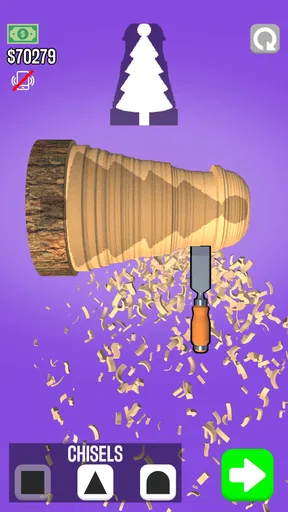
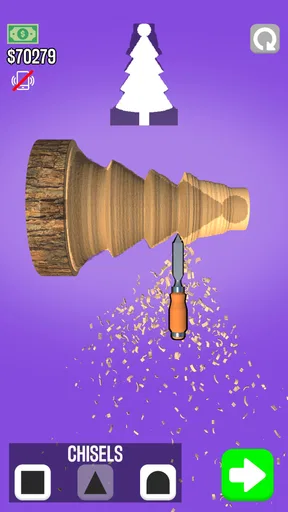
Your journey begins with a basic block of wood, which you can sculpt into various shapes using a diverse set of tools. The controls are straightforward: swipe to carve, and tap to change tools. It feels almost natural, like you're holding the chisel yourself. The visual feedback is excellent, with shavings flying off as you carve, adding to the realism.
The Art of Sculpting
Here’s where Woodturning shines. The app offers a variety of tools: chisels, gouges, and sanders, each with its own unique function. As you progress, you unlock more advanced tools, allowing for more intricate designs. The challenge lies in shaping your block to match a given pattern, which is both rewarding and a bit challenging.
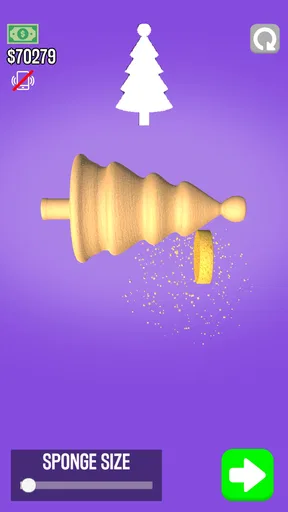
The real magic happens when you start sanding your creation to a smooth finish. The satisfaction of seeing your rough-hewn block transform into a polished work of art is truly gratifying. And let's not forget the painting phase—choosing colors and patterns to make your piece pop!
Who gets the most from the workflow
Where the game wins over many general-purpose creative apps is in its clear sequence: carve first, refine the surface, then make a visual choice about the finish. That order gives each short session a natural endpoint. I find it works particularly well when I have five minutes between errands or want a low-effort break before bed; I can focus on one object without needing to plan a whole project.
One practical tip is to treat the requested shape as a guide rather than trying to remove wood as quickly as possible. Small, controlled swipes make it easier to judge the silhouette and leave room to correct an uneven edge. I also recommend switching tools with a purpose: use the rougher shaping stage to establish the outline, then save finer work for when the form is close. That way the sanding and finish feel like a reward, not an attempt to rescue a rushed cut.
Where it differs from other creative games
Compared with open-ended drawing or modeling apps, this game places more emphasis on following a target and enjoying the transformation. That constraint is a strength if a blank canvas feels intimidating: you have a concrete object to work toward. It is also a limitation if your main goal is unrestricted design. A conventional crafting or building game may suit you better if you want to combine materials, manage a larger project, or keep expanding a world rather than finish one crafted piece at a time.
It is also worth separating this from real woodturning instruction. The tactile presentation can make the process feel convincing, but swiping on a screen is not a substitute for learning to use a lathe or safely handle workshop tools. I would use it as a playful introduction to the idea of shaping and finishing, not as a technical guide for a real craft. That distinction matters most if you are considering it as a way to prepare for hands-on woodworking.
Why You'll Love It
What sets Woodturning apart is its ability to engage you in a calming, almost meditative experience. It's perfect for those moments when you need a break from the chaos of daily life. The app doesn’t rush you; you can take your time to create something beautiful. Plus, the tactile feedback and realistic graphics make it all the more immersive.
If you’re someone who enjoys hands-on creativity but doesn’t have access to a lathe, this app is a fantastic alternative. It’s also a great introduction to the basics of woodturning for those who might be interested in taking it up as a hobby.
Everyday use, expectations, and trade-offs
A realistic routine might be opening the game during a short commute break, completing the carving for one design, and leaving the painting choice for later. The task has a natural rhythm, so it can be easier to stop than in games built around long missions or competitive matches. I would still keep expectations modest: its calm pace is the point, but players who need frequent surprises or a strong sense of progression may eventually feel they have seen the core idea.
The game is free to download, with in-app purchases listed from $1.99 to $154.99 per item. I would try the basic experience before spending anything and decide whether the creative loop genuinely holds my interest. The range makes it especially sensible to avoid treating optional purchases as necessary for enjoying the central activity. Its current version is 3.12.34, and it requires Android 8.0 or later; those details are useful if you are checking compatibility before installing.
One small workflow choice can make the game feel less repetitive: give each finished piece a simple personal goal, such as trying a different silhouette or choosing a finish you would not normally pick. The pattern-led task provides structure, while your decisions about shaping and appearance give each run a modest creative twist. If you prefer to make every design from scratch, though, that balance may feel too restrictive rather than helpful.
A Few Tips for Beginners
As someone who's spent a fair amount of time with the app, here are a few pointers:
- Take it slow: Rushing through the carving process might lead to mistakes. Enjoy the process!
- Experiment with tools: Each tool offers a different effect. Try them all to see what suits your style.
- Use the preview feature: It helps to visualize what your final product will look like.
When another option may be better
Choose a broader sandbox game instead if you want to invent projects without a pattern, or a drawing app if you care more about precise control over color and composition than about carving stages. For realistic woodworking skills, look for hands-on learning and proper safety guidance rather than relying on a phone game. Those alternatives do not make this one worse; they serve different needs. Woodturning is at its best when the goal is a brief, tactile-feeling creative task, not a complete substitute for a workshop or a flexible art program.
Switching away is easy if you decide the loop is not for you, since the game does not ask you to learn a complicated control scheme before you can judge it. The trade-off is that the same simplicity may leave you wanting more after the novelty wears off. I would give it a few short sessions and notice whether shaping, sanding, and finishing remain enjoyable, rather than judging it only by the first object. If you find yourself trying new approaches just for the satisfaction of the process, it is doing its job.
Final Thoughts
All in all, Woodturning is a delightful app that captures the essence of wood sculpting in a digital format. It's both challenging and relaxing, making it a great choice for those looking to flex their creative muscles. Whether you’re a crafting enthusiast or just someone looking for a unique way to pass the time, this app is worth a download. So grab your virtual chisel and start creating something amazing!
My recommendation is strongest for casual players who like visible progress, gentle interaction, and a clear finish to each small task. I would skip it if I were looking for deep simulation, a serious woodworking course, or limitless creative control. For everyone in between, the free download makes it reasonable to try, while the modest average rating is a reminder that its focused loop is a matter of taste. If shaping a virtual piece of wood sounds relaxing rather than repetitive, this is an easy game to keep around for quiet moments.
Verdict
Strengths of Woodturning
- Engaging and relaxing gameplay experience.
- Intuitive controls perfect for touchscreens.
- Creative freedom to design unique pieces.
- Wide variety of tools and finishes available.
- No intrusive ads during gameplay.
Limitations of Woodturning
- Limited number of levels and challenges.
- Occasional lags on older devices.
- Lacks multiplayer or social features.
- In-app purchases can be pricey.
- Repetitive tasks may become monotonous.
Other Releases by VOODOO
View All


Similar Picks in This Category
View All
Truckers of Europe 3
Wanda Software4.3

Town Building Life Simulator
XGame Global4.2

Fidget Toys Trading・Pop It 3D
Freeplay Inc4.7

Sculpt People
CrazyLabs LTD4.4

Scary Teacher 3D
Z & K Games4.2

Hair Tattoo: Barber Shop Game
CASUAL AZUR GAMES4.3
Frequently Asked Questions
What is Woodturning and how does it work?
Woodturning is a simulation game that allows players to experience the art of woodturning. Players can carve, sand, and paint virtual wood pieces to create intricate designs. The app provides various tools and materials, offering an authentic crafting experience without the mess. It's intuitive for beginners yet challenging for seasoned players.
Is Woodturning free to play, and are there in-app purchases?
Woodturning is free to download and play, offering a wide range of features at no cost. However, it includes in-app purchases that allow users to unlock additional tools, materials, and customization options. These purchases can enhance the gameplay experience but are not necessary to enjoy the game.
What devices support Woodturning, and is it available offline?
Woodturning is compatible with both Android and iOS devices, ensuring a broad range of accessibility. While the game can be enjoyed offline, online connectivity is required for certain features like leaderboards and updates. Ensure your device meets the minimum system requirements for optimal performance.
Does Woodturning offer any educational benefits?
Yes, Woodturning can be educational, especially for those interested in crafts and design. It helps develop creativity, attention to detail, and hand-eye coordination. The game encourages experimentation with shapes and colors, making it a valuable tool for learning basic design concepts and artistic skills.
Are there any community or multiplayer features in Woodturning?
Woodturning primarily focuses on single-player gameplay. However, it does feature a leaderboard where players can share their creations and compete for high scores. This aspect fosters a sense of community and encourages players to improve their skills and share their artistry with others.
Play our best games!


